The conclusion this page reaches, before any of the evidence: every app that measures light on an iPhone is reading the camera, because iOS gives it nothing else to read. Not one of them publishes a number you could check a reading against. And no single correction can rescue a camera reading — across twenty paired readings in two buildings, the correction each point needed spanned a factor of nineteen.
That last number rules out the obvious fix: if a constant could do it, someone would have shipped the constant. What we do instead took our median error from 3.25 times to 1.46 times.
None of them can read your phone’s light sensor. Apple does not expose it to apps. Every iPhone light meter on the App Store reads the camera and works backwards, and that is a reconstruction, not a measurement.
Your iPhone has a light sensor. No app can read it.
The disagreement starts upstream of the phone: two units, three foot-candle scales, and one measured reading that sits at the floor of one low band and below every other.
| Published by | What it measures in | In its own words |
|---|---|---|
| extension.psu.edu | Both units | “The light meter I purchased reads both foot candles and the metric measurement of lux.” |
| extension.psu.edu | 25 fc, measured | “the reading for the snake plant measured as low as 25-foot candles in mid-morning”, against “a common baseline for low light is 100 footcandles.” |
| extension.illinois.edu | Foot-candles | Its bands: “Low Light (75 foot candles)” through “Direct (1500 foot candles)”. |
| extension.arizona.edu | Foot-candles, different scale | “high, 150–1000 foot-candles (fc); medium 75–150 fc; and low, 25–75 fc.” |
| extension.msstate.edu | Foot-candles, third scale | “High represents light conditions that are 1,000 or more foot-candles in intensity”, “low represents 50 to 500 foot-candles”. |
| open.edu | Lux | “Daylight penetrating windows into a building can provide illuminance levels of around 200–300 lux”, against sunlight that “can reach 100 000 lux on the ground.” |
Your iPhone has an ambient light sensor. It is what dims your screen. Apple has never shipped a public way for an app to ask it for a number.
So an iPhone light meter opens the camera, looks at the exposure the camera settled on, and calculates backwards. Photographers have done this for a century. It works. It is still not a sensor reading.
Android is different. Most Android phones publish a real lux figure from the hardware to any app that asks. No camera, nothing to calibrate.
The camera answers a different question
A light sensor measures how much light arrives at that point. A camera measures how bright the things in front of it look.
Converting between the two needs a guess about how reflective the room is. That guess is roughly right pointed at a lawn. It is badly wrong pointed across a dim room at a bright window.
In our own readings, one glass-walled office came out around five times high, over and over. No software patch fixes that. The camera is answering a question you did not ask.
Turn ninety degrees and catch more window in frame, and the number changes while the light has not moved. Lean over the phone and you have measured your own shadow.
Nine listings, and the plant apps promise nothing about light
So we read what the apps themselves promise. On 2026-08-29 we opened the App Store listing of every plant-care app we could find that ships a light meter, plus two apps that do nothing but measure light, and copied out word for word every claim each one makes about its light reading and whatever it says about where that reading comes from. Eight listings survived the check; a ninth, Blossom, was dropped because its listing describes no light-measuring feature.
| Plant-care app with a light meter | What its listing claims about the light reading | Where the reading comes from |
|---|---|---|
| Planta (Planta AB) | Nothing. “Use the built-in light meter to find the right spot for each plant” | Not stated |
| PictureThis (Glority Global) | “Track how much sunlight your plant is getting with our light meter” — no accuracy wording. About identifying a plant: “over 98% accuracy” | Not stated |
| Greg (Gregarious, Inc) | Nothing about light. About watering: “Precision Watering” | Not stated |
| Plant Parent (Glority Global) | Nothing | Not stated: “put your phone near the plant” |
| PlantIn (Vortemol Limited) | “calculates the correct lighting level for your greens” | Camera and AR, both named in the listing |
| Planterra (Vladislava Trimborn) | Nothing in the listing. On the developer’s own site: “a lux estimate accurate enough for plant care” | Camera: “measuring the actual light with your camera” |
That is the part worth sitting with. These are the apps a person actually installs to look after a plant, and their light meters are described in words that promise nothing and can therefore be wrong about nothing. The same listings are perfectly willing to put a number on identification.
| Dedicated light-meter app | What its listing claims | Where the reading comes from |
|---|---|---|
| Photone (Lightray Innovation) | “the most accurate plant light meter app”; “Pre-calibrated for your specific device”; “developed according to the ISO/CIE 19476 standard” | Camera: “the RAW camera sensor data”, with a diffuser over it. Units: PPFD, DLI, lux, foot-candles |
| Light Meter For Plants (Nicolas Gustavo Melian) | “Turn your iPhone camera into a precise lux light meter”; “an accurate lux reading in real time” | Camera. Unit: lux |
Add the two columns up and this is not eight instruments disagreeing. Four of the eight say where the reading comes from, and all four say the same thing: the camera. The other four do not say at all. Not one of the eight publishes a figure you could hold a reading against.
Which is why installing a second app to check the first proves nothing. If the two agree, you have asked one camera twice. If they disagree, you have learned that two developers chose different constants, and nothing at all about your windowsill.
No constant can fix it, and we can prove it
We tried to calibrate our way out of this for months, and failed. That failure is the most useful thing on this page.
We paired camera readings against a hardware light sensor, then asked what correction each single point would have needed to come out right.
| What we tried | What came back |
|---|---|
| The correction each single point needed, taken one at a time | Spanned a factor of 19 |
| Sweeping one constant across its whole range, 0.05 to 4.0 | Best case 6 of 20 points within ±30% |
| Refitting months later, same home and same iPhone | Median correction moved by 2.75× |
| One glass-walled office, every reading in it | Around 5× high, consistently |
A later round in the same home, on the same iPhone, wanted a median correction 2.75 times away from the earlier one. Same phone. Same rooms. Months apart.
A fitted constant is a description of the afternoon you fitted it on. Every app that hands you a precise lux figure on an iPhone has picked one, and none of them tell you which afternoon it came from.
So we stopped calibrating and checked physics instead
The question changes once you accept no constant works. Not what do we multiply by, but when should we refuse to believe the camera at all.
Every spot has a ceiling. At your latitude, on that date, at that hour, through a window facing that way, the sky can only deliver so much. We already compute that ceiling, because it is what the free spot checker runs on.
A reading that sits far above it is not trusted. The check is one-way: it can only move a number down, so it cannot turn a good reading into an under-read.
Median error more than halved, the worst over-read fell by more than half, and the worst under-read did not move at all — because it structurally cannot. That is the difference between fixing a problem and moving it somewhere you are not looking.
It is also why the number is not what the app acts on. The reading picks the tier, the screen says it is an estimate, and the fit judgement runs on the tier. A tier survives an error a three-digit figure does not.
Android does not have this problem
Everything above is an iPhone story. On Android the reading comes from the hardware sensor, and this physics check is switched off, because there the model is the less trustworthy of the two.
Clamping a real measurement against an estimate would be backwards. Same app, different and better bet about which source to believe.
So the comparison that matters is not iPhone against Android. It is an iPhone reading with the physics check against one without it — and that is the gap you can actually close on the phone in your hand: median error 3.25 times down to 1.46 times, across the 18 paired readings above.
How to get a reading worth having
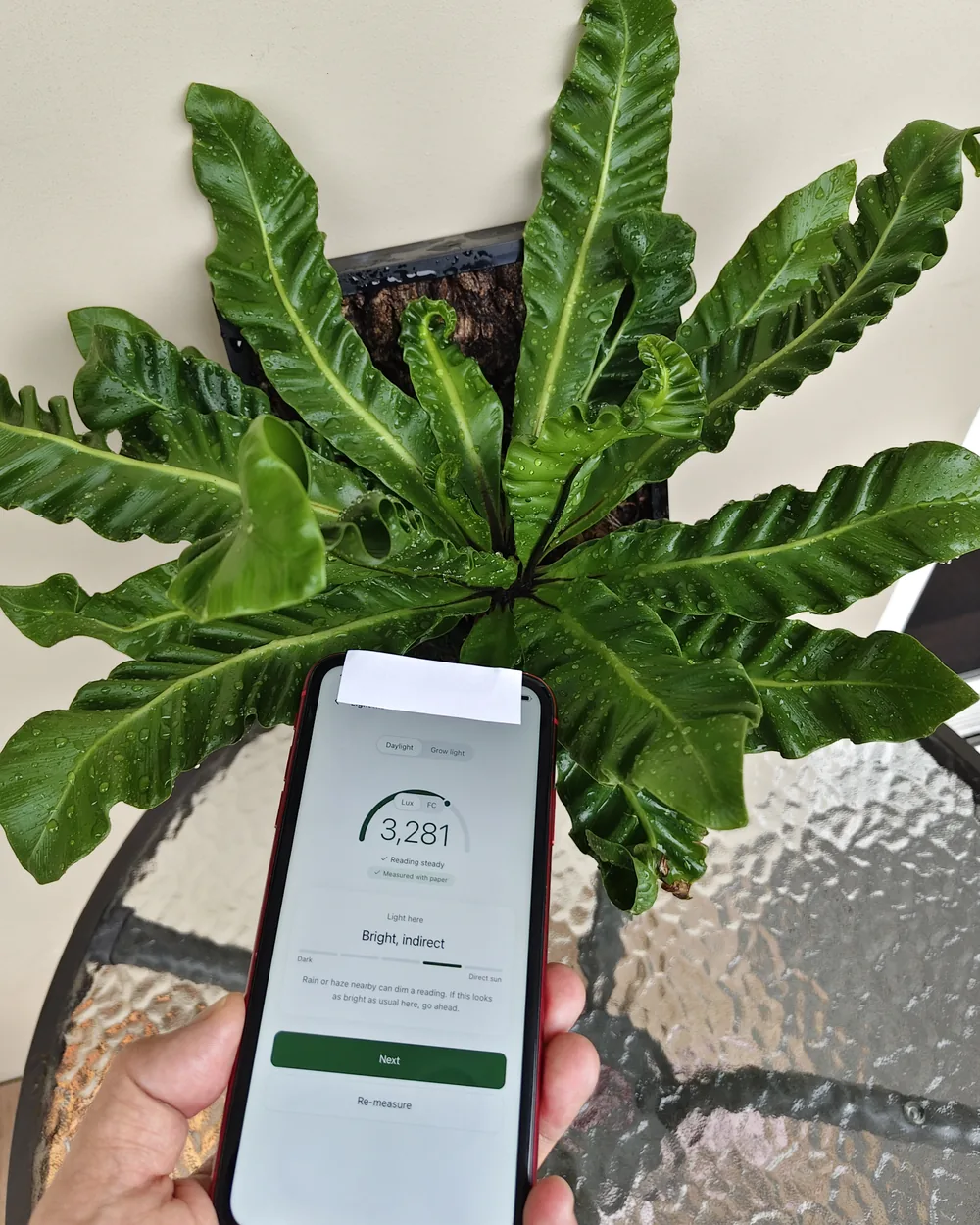
Paper over the front camera helps with one real problem. It diffuses light arriving at an angle, so the sensor sees the whole hemisphere instead of a bright patch. It does not fix the spectrum.
Four habits matter more than which app you pick:
- Read every spot inside one hour of one day.
- Lay the phone flat and screen up, at the height the pot will stand.
- Keep yourself and your arm out of the light.
- Write down the tier, not the digits.
Whatever the camera gets wrong, it gets wrong the same way twice in a row. So reading two spots the same way, minutes apart, ranks them correctly even when both figures wander. That ranking is the decision that places a plant.
Here is what a tier turns into once the plant is named.

Worth a try
It can work here with a little care.
A little dim, but workable
Comfortable temperature
Humidity suits it
Airflow suits it
You can run the same check without installing anything. Describe the spot to the free spot checker and it scores it in the browser, no account needed. It is honest about being an estimate, and it publishes what it cannot tell you.
By GrowSpot · Published August 28, 2026 · Last updated August 30, 2026
